Remix IDE
Remix is a powerful, open-source development environment for Ethereum smart contracts. It provides a complete development experience with a web-based IDE, compiler, and deployment tools.
Getting Started
Access Remix
Visit remix.ethereum.org to access the web-based IDE.
Key Features
- File Explorer: Create and manage Solidity files
- Solidity Compiler: Compile contracts with various Solidity versions
- Deploy & Run: Deploy contracts to different networks
- Plugin Manager: Extend functionality with plugins
- Debugger: Step-through debugging for transactions
Setting Up Watr Network
1. Add Watr Network to MetaMask
Before using Remix, ensure you have Watr network configured in MetaMask:
For detailed steps on how to add Watr Network to MetaMask, see: Add Watr Network →
2. Connect MetaMask to Remix
- In Remix, go to the "Deploy & Run" tab
- Select "Injected Provider - MetaMask" from the Environment dropdown
- Ensure MetaMask is connected to Watr Testnet
- Connect your MetaMask wallet to Remix
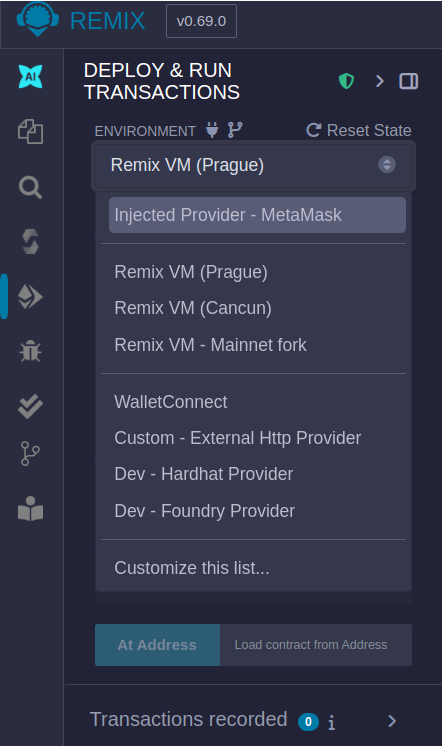
Figure 1: Connect MetaMask wallet to Remix
Creating and Deploying Contracts
1. Create a New File
- In the File Explorer, click the "+" button
- Name your file (e.g.,
HelloWorld.sol) - Write your Solidity contract
Example Contract
Here's a simple example contract you can deploy:
// SPDX-License-Identifier: MIT
pragma solidity ^0.8.20;

contract HelloWorld {
    string public message = "Hello, Watr!";

    function setMessage(string calldata newMessage) public {
        message = newMessage;
    }

    function getMessage() public view returns (string memory) {
        return message;
    }
}
2. Compile the Contract
- Go to the "Solidity Compiler" tab
- Select the appropriate Solidity version
- Click "Compile HelloWorld.sol"
- Ensure compilation is successful
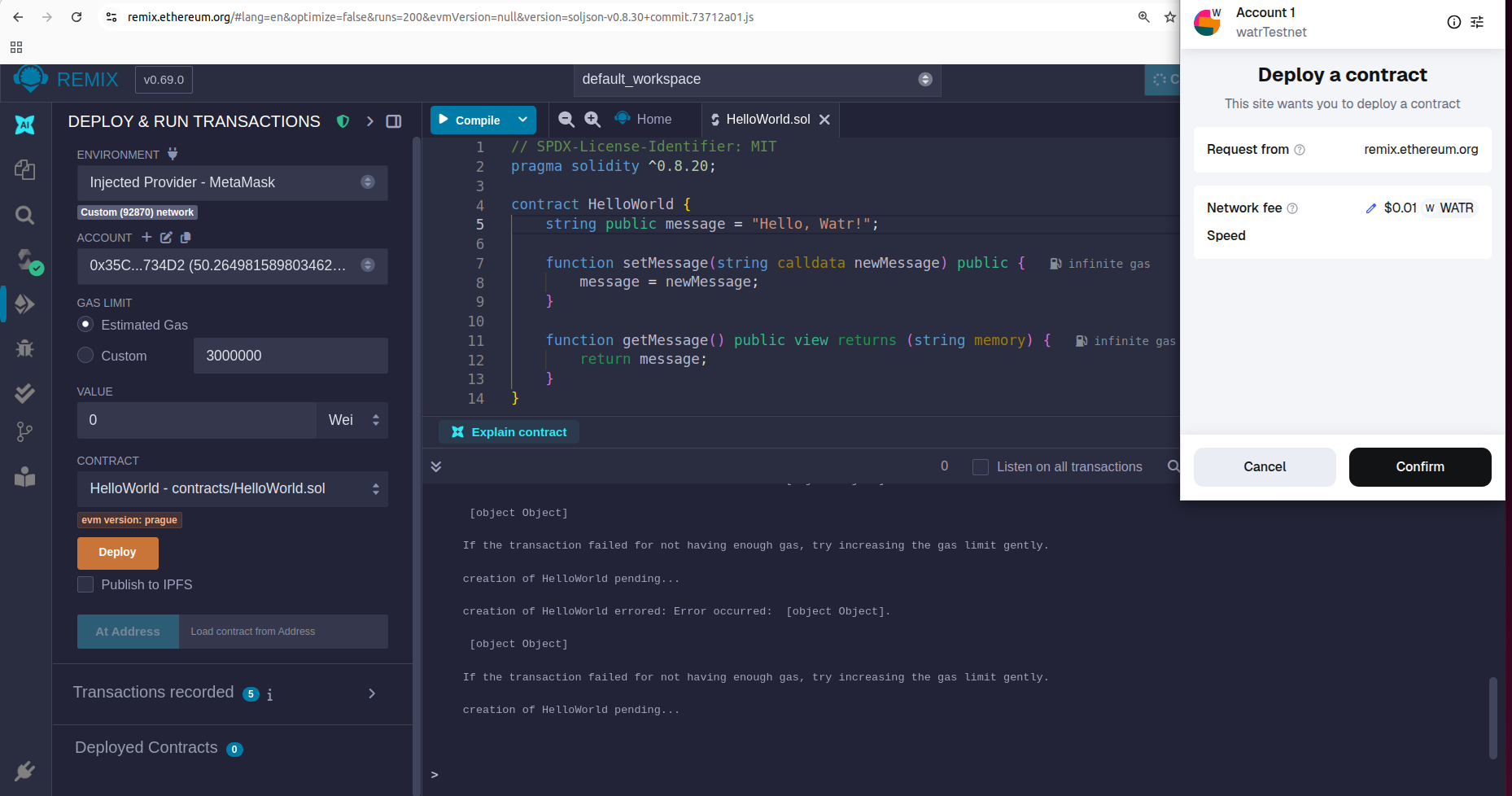
Figure 2: Write - compile and deploy the contract
3. Deploy the Contract
- Go to the "Deploy & Run" tab
- Select your contract from the dropdown
- Set constructor parameters if any
- Click "Deploy"
- Confirm the transaction in MetaMask
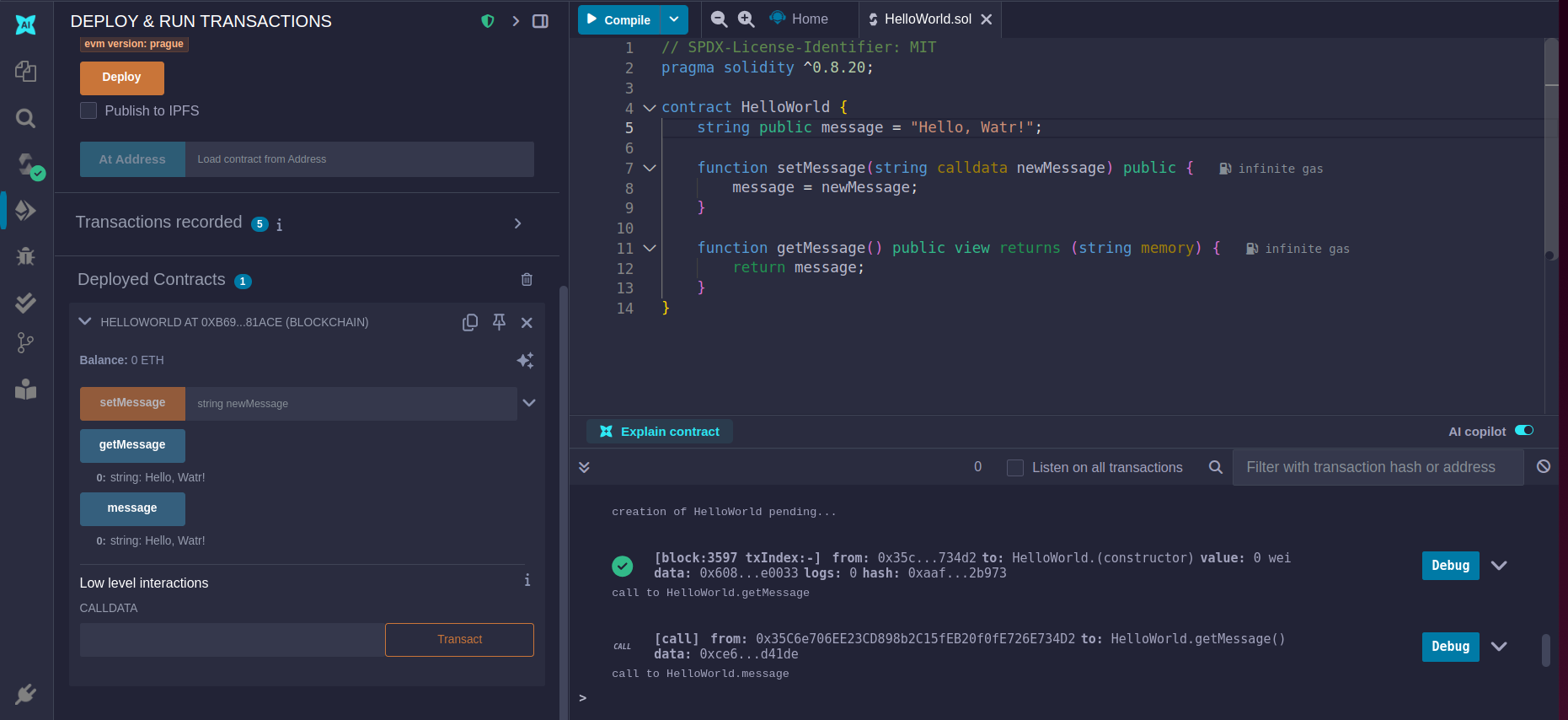
Figure 3: Deployed Contract
Advantages of Remix
- No Installation Required: Works directly in your browser
- Beginner Friendly: Intuitive interface for new developers
- Real-time Compilation: Instant feedback on code errors
- Built-in Testing: Test contracts before deployment
- Plugin Ecosystem: Extend functionality as needed
Best Practices
- Always test on testnet before mainnet
- Use the latest stable Solidity version
- Enable optimization in compiler settings
- Test all functions before deployment
- Keep contracts simple and well-documented
For more detailed information about Remix and its features, visit the official Remix documentation.