Add Watr Network
After installing MetaMask:
- Open MetaMask and click the network dropdown at the top
- Select "Add network" → "Add a network manually"
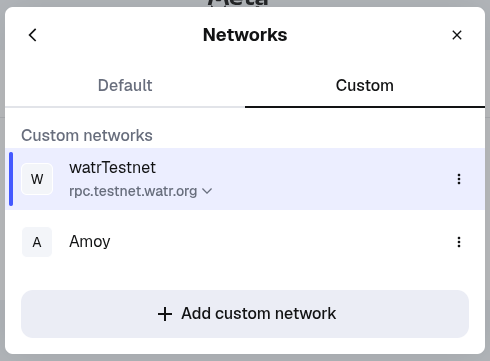
For Watr Mainnet
- Network Name: Watr Mainnet
- New RPC Endpoint:
https://rpc.watr.org/ext/bc/EypLFUSzC2wdbFJovYS3Af1E7ch1DJf7KxKoGR5QFPErxQkG1/rpc - Chain ID: 192
- Symbol: WATR
- Explorer: https://explorer.watr.org
For Watr Testnet
- Network Name: Watr Testnet
- New RPC Endpoint:
https://rpc.testnet.watr.org/ext/bc/2ZZiR6T2sJjebQguABb53rRpzme8zfK4R9zt5vMM8MX1oUm3g/rpc - Chain ID: 92870
- Symbol: WATR
- Explorer: https://explorer.testnet.watr.org
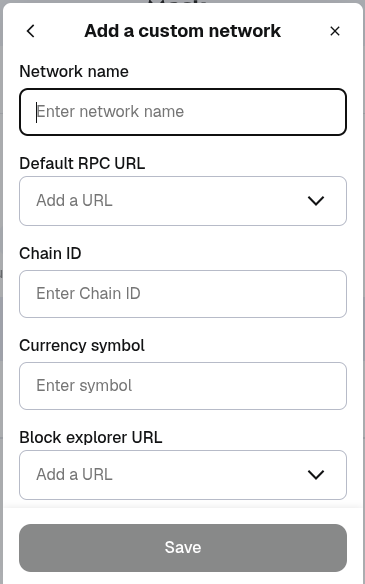
- Click Save.
You are now connected to the Watr Testnet network.